💻 TermColor readme
TermColor is a class library which takes responsibility for bufferring colored text before displaying it to the terminal. It supports multiple color modes, and different platforms (Windows, Unix).
Features
- Fast terminal buffering, can be used for real-time animation in the terminal.
- Support of Windows Console API for faster display of the buffer.
- Outputs colored text formatted with ANSI escape codes.
- 4 different color modes (see image). In
Dither4bitmode,░▒▓characters are used to mix different colors using just the basic 16-color palette.
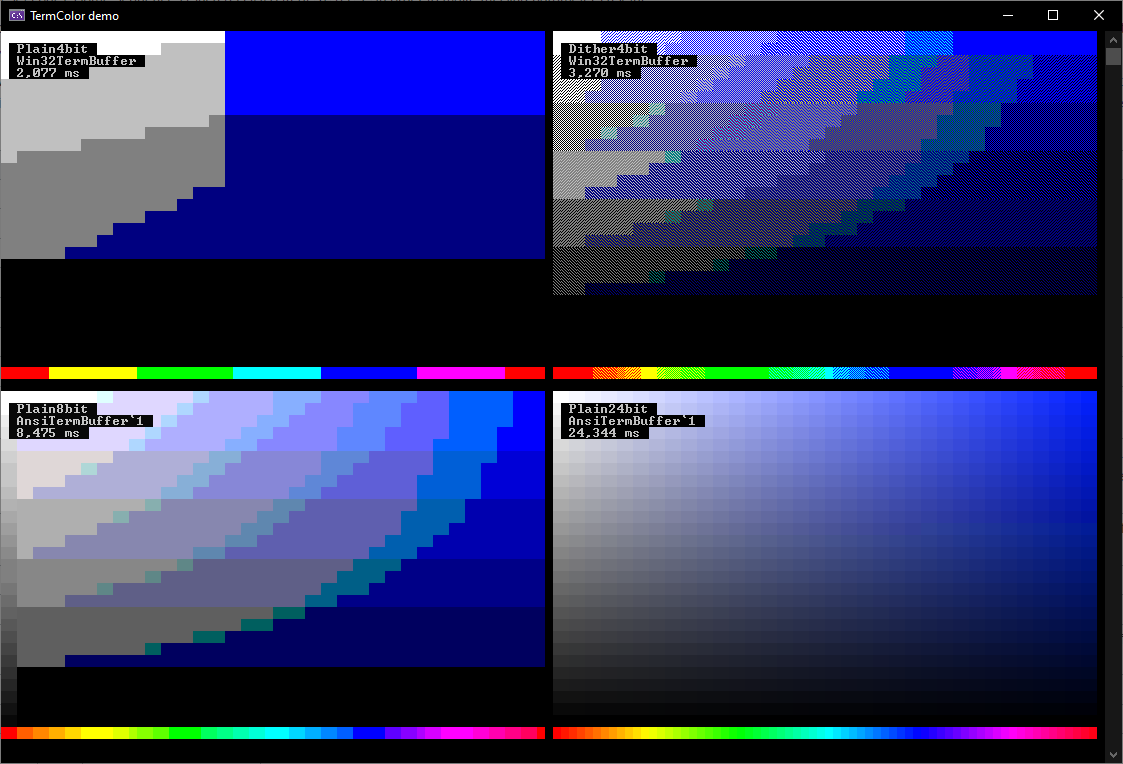
This is a demo showing a slice of the HSV cone in all four different color modes.
Getting started
Create an instance of TermColor.Terminal. It has similar interface to System.Console. You can write colored text to it, and then flush it all at once to the console window, or to other outputs.
var term = new Terminal();
term.ForegroundColor = (Color4)ConsoleColor.Green;
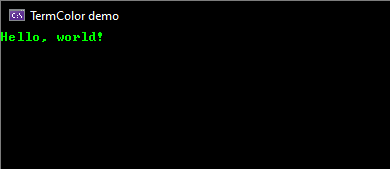
term.WriteLine("Hello, world!");
term.Flush();
Output:
Contributing
If you want to contribute, or modify the library for your own use, check out the programmer's manual.
Reference
For details, see the generated reference.